INSTALLATION AND USE INSTRUCTIONS FOR dav.02 LEVEL ONE (INITIAL)
THE WAY TO YOURSELF
Installing Level One takes a few minutes.
Use only the original materials available through the links provided in these instructions.
1. STATIC DIGITAL VISUAL PRODUCT — dav.02/1
- Open the provided link.
- Tap ⬇️ “Download” to download the original image.
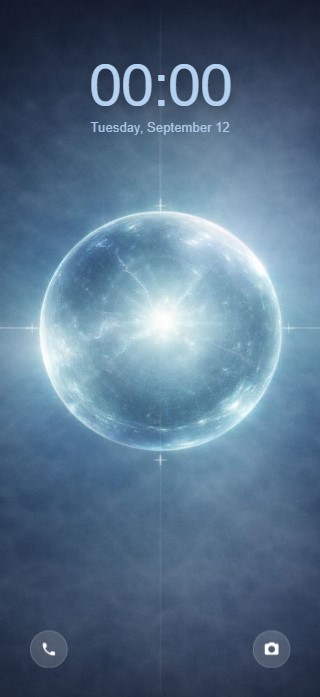
- Set the image as your phone’s Lock Screen wallpaper.
- If necessary, center the image, taking into account the position of the clock, date, and other screen elements.
- Make sure the “dav.02/1” label appears in the bottom-right corner.
Example of dav.02/1 installation
2. DYNAMIC DIGITAL VISUAL PRODUCT — dav.02/2
- Open the provided link.
- Add a shortcut to your phone’s Home Screen.
- Android — Chrome: ⋮ → “Install and create shortcut” → “Create shortcut” → “Add”
- iPhone — Safari: “Share” (or ⋯ → “Share”) → “Add to Home Screen” → turn on “Open as Web App” → “Add”
- Launch dav.02/2 from the Home Screen shortcut.
- Check its operation:
- the “dav.02/2” label in the bottom-right corner disappears after 1–2 seconds.
- one cycle of the dynamic sequence lasts approximately 26 seconds.
- when the sequence ends, it automatically returns to the beginning and the cycle starts again.
If all three conditions are met, dav.02/2 is set up and working correctly.
Open link dav.02/2 [ HOW TO USE → ]